Everything in one app
Features built for notes, AI, whiteboards, and handwriting
Noteara combines boards, structured notes, and an AI assistant. The feature list and imagery align with our in-app marketing and store listings, so what you read here matches what we ship on iOS and Android.
- At a glance
- • Multi-page boards with layers, brushes, and paper templates
- • AI summaries, outlines, and chat beside your real notes
- • Live whiteboard sharing, page reorder, and reminders (latest releases)
- • Import PDF/DOC/DOCX, export PDF/PNG, offline-first notebooks
Boards & drawing
Whiteboards that feel like real tools
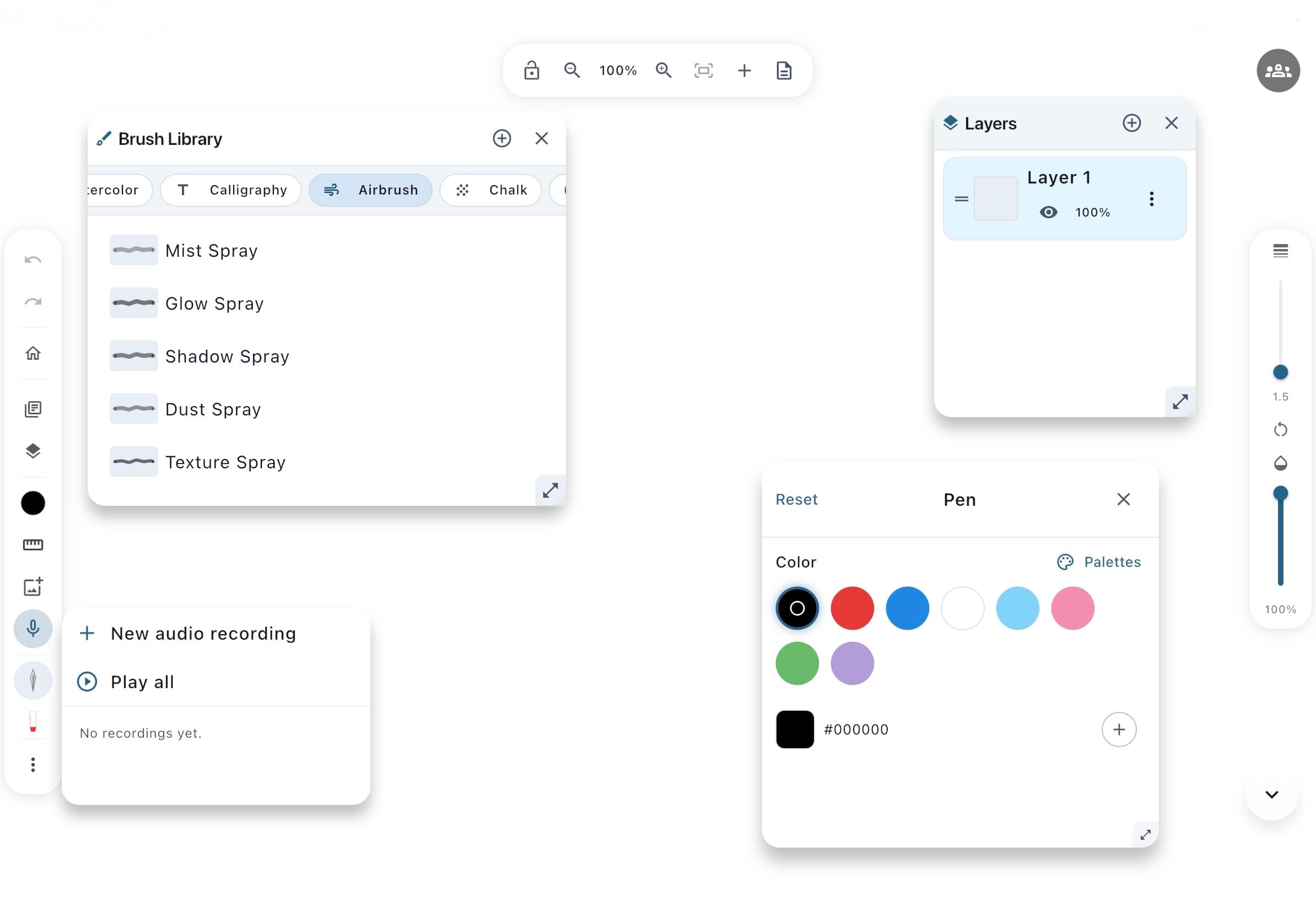
Sketch, diagram, and annotate on a spacious canvas with floating toolbars tuned for iPad and iPhone. Stack ideas on layers, pick paper that matches the task, and keep complex drawings under control.
- • Pen, pencil, brush, marker, highlighter, eraser, and more from the brush library
- • Stroke width, opacity, and precise colors (including hex)
- • Layers with visibility and opacity for serious projects
- • Plain, grid, dots, and ruled paper templates
- • Live whiteboard sharing for real-time collaboration
- • Reorder pages with drag-and-drop on multi-page boards
Noteara AI
AI note organization and in-context chat
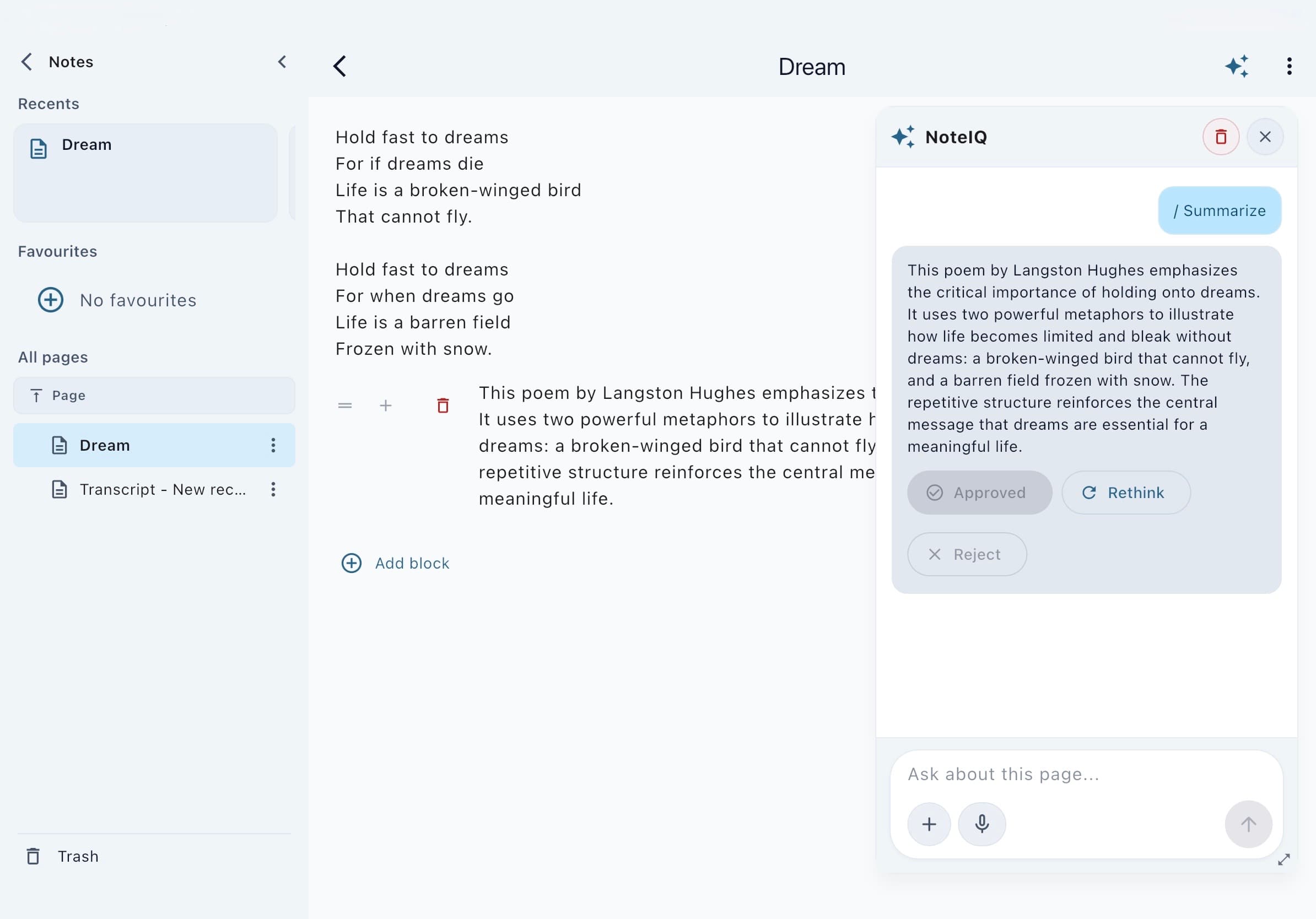
Ask the assistant to summarize, outline, and tidy what you have already written—without losing your voice. Chat stays grounded in the note or board you are viewing.
- • Summaries and structured outlines from your own content
- • In-context chat on notes and whiteboards
- • Bring images and audio into the conversation when supported
- • Multimodal help when a diagram or voice memo carries the idea best
Notes & structure
Notes that go beyond plain text
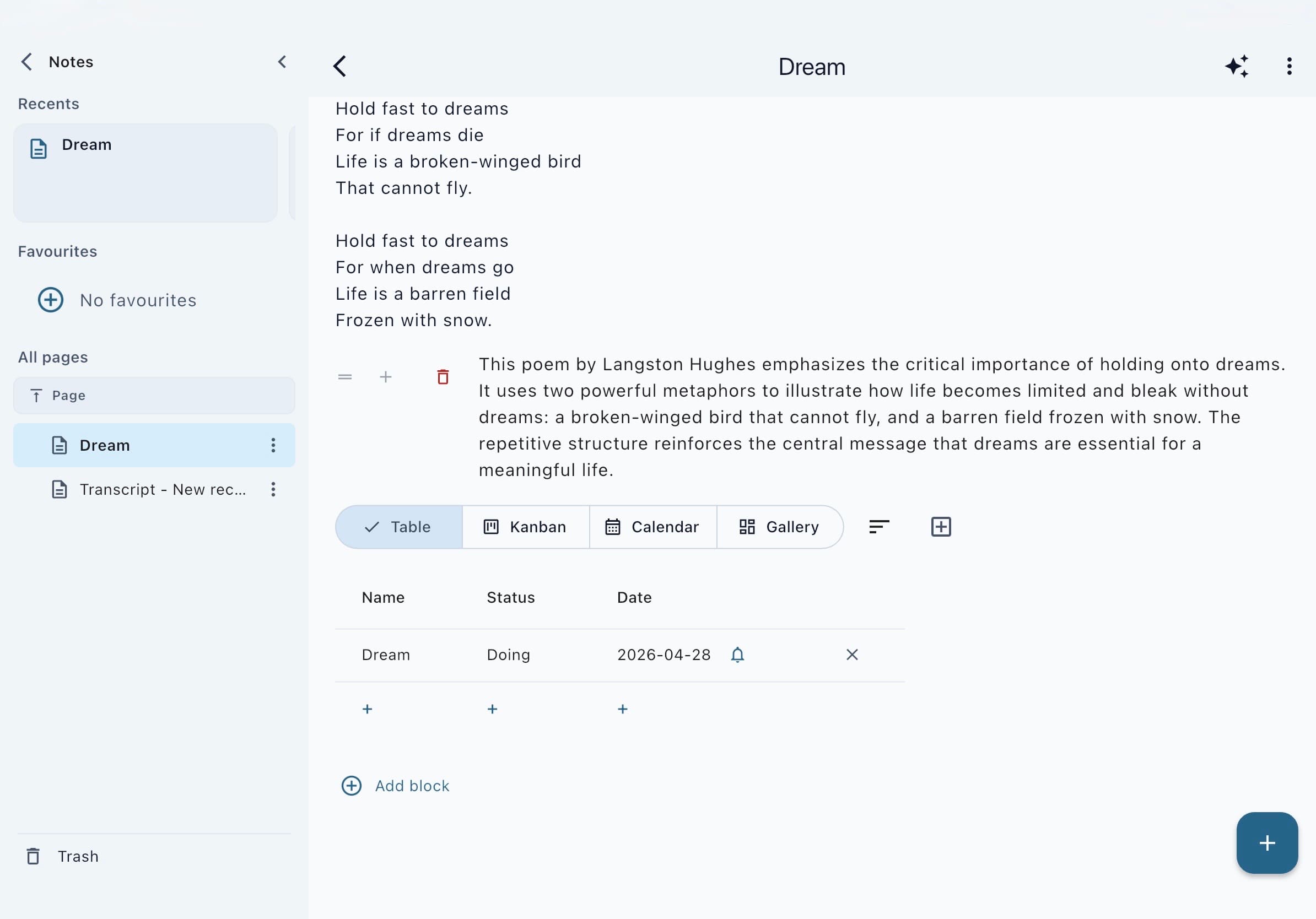
Build structured notebooks with blocks for text, images, and voice. Import materials when your work starts outside the app, then keep everything in one calm workspace.
- • Notebooks and nested folders for courses, work, and life
- • PDF and Office document import (DOC/DOCX) where supported on your device
- • Audio alongside handwriting and typed notes on boards
- • Reminders for planning and follow-ups
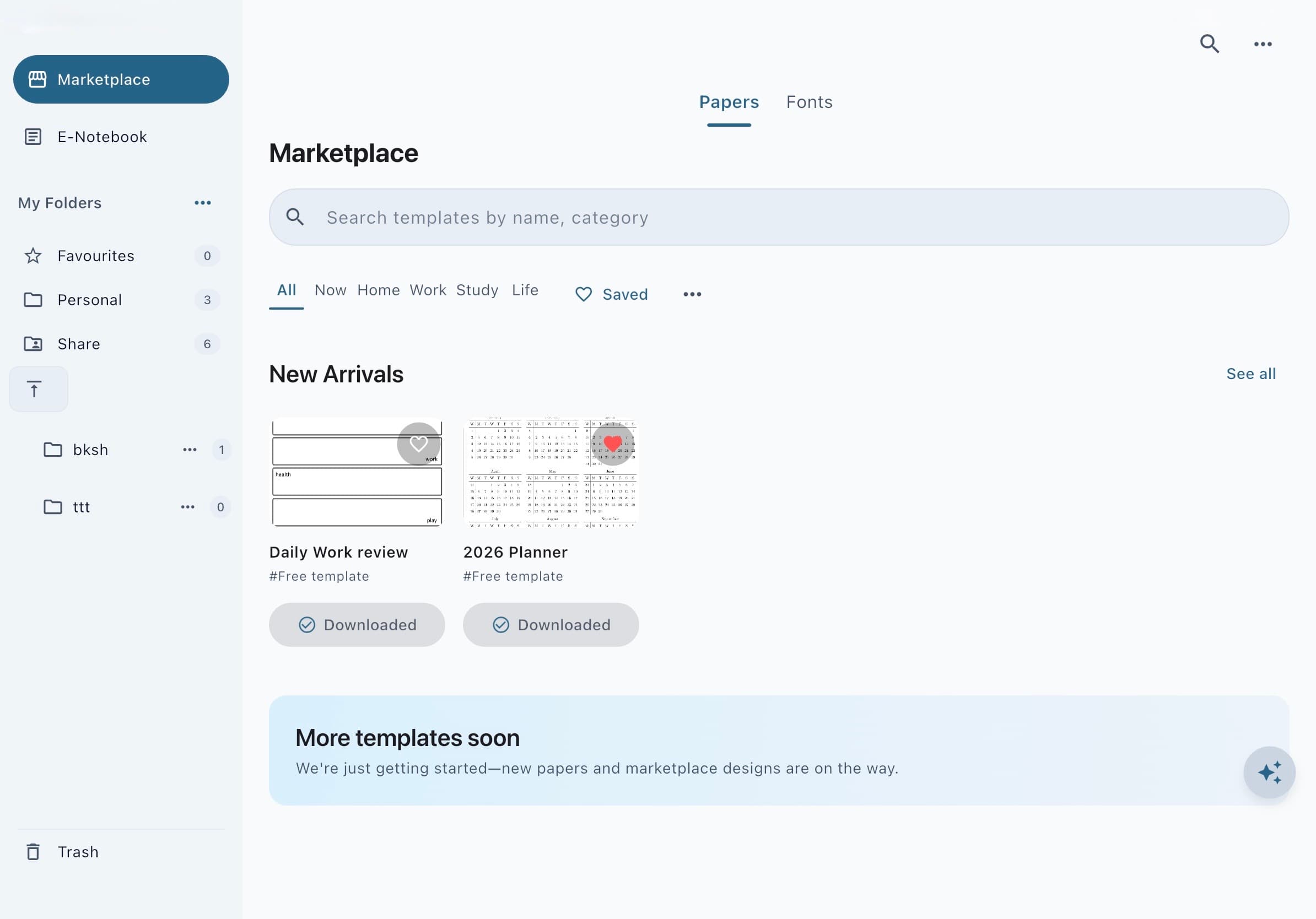
- • Stationery Center / Marketplace when your build connects to a template catalog
Share & keep working
Export, offline-first, built for focus
Your boards and strokes stay on your device by default. When you are ready, export to PDF or PNG and share from your phone or tablet.
- • Export boards and drawings as PDF or PNG
- • Offline-first storage with Hive; start without a required account
- • Dark mode and layouts tuned for phones and tablets
- • Handwriting tooling on-device where the platform supports it
Ready to try it?
Download Noteara on your device or open the web app. Feature availability can vary by platform, OS version, and account.
Marketing reference: companion app repo noteara/marketing/ (screenshot plan, store copy, and exports).